
Fact-checked by the MyFinancial101 editorial team
Key Takeaways
- 80% of U.S. adults paid for at least one subscription in the past year, spending an average of $90 per month across all recurring charges.
- The average subscriber wastes $17 per month, $204 per year, on subscriptions they never use.
- Streaming video alone costs subscribing households an average of $69 per month, or $828 annually.
- Nearly 90% of consumers underestimate their total subscription spending by hundreds of dollars, according to a West Monroe survey.
- A single thorough subscription audit budget review can free up $1,000 to $1,500 or more per year, enough to fully fund a starter emergency fund or make a meaningful dent in high-interest debt.
- The FTC’s final “Click-to-Cancel” rule, effective in 2024, requires companies to make canceling as easy as signing up, a legal right you can invoke right now.
In This Guide
- Why Subscriptions Are Quietly Draining More Than You Think
- The Full Scope of Recurring Charges Most People Miss
- How to Run a Complete Subscription Audit in One Sitting
- Deciding What to Keep, Downgrade, or Cancel
- Canceling Subscriptions Smoothly and Avoiding Gotchas
- Your Consumer Protection Rights Around Auto-Renewals
- What Your Freed-Up Cash Can Actually Do
- Subscriptions and Debt: A Connection People Overlook
- Building Systems So Subscriptions Don’t Creep Back In
- Subscription Spending by Category: Where the Money Actually Goes
U.S. adults who pay for subscriptions spend an average of $90 per month on recurring charges, according to a CNET 2025 subscription survey, and that figure almost certainly understates reality, because nearly 90% of consumers underestimate what they’re actually paying. Running a subscription audit budget review is the single fastest way to surface that gap, and the savings can be striking: one NerdWallet writer’s 2026 personal audit cut $122 per month from her recurring charges, a total of $1,464 per year.
The scope of the problem has grown alongside the number of services competing for automatic billing access. Streaming prices have risen sharply since 2022, with major platforms adding ad-supported tiers while simultaneously hiking their ad-free rates. Annual subscriptions charged once a year vanish from monthly mental accounting entirely. Trial periods that quietly convert to paid plans are so common that the Federal Trade Commission built a formal rule around them. Taken together, these factors mean the average household is almost certainly funding services it no longer uses, or never actively chose to keep.
This guide walks through every stage of getting your recurring charges under control: finding every subscription across all accounts, evaluating each one with a simple framework, canceling cleanly and on record, and building habits that prevent the slow drift back to overspending. By the end, you’ll know exactly what you’re paying, why, and what to do with the money you recover.
Why Subscriptions Are Quietly Draining More Than You Think
Subscription billing is designed to be forgettable. A $14.99 charge processed on the 17th of each month registers far less than a single $179.88 payment would, even though they’re mathematically identical. That psychological effect is not a side benefit for vendors; it’s a core feature of the recurring revenue model. When the charge is small enough to ignore but consistent enough to compound, it becomes one of the most effective mechanisms for sustained spending that consumers never consciously approved at scale.
The numbers bear this out. CNET’s 2025 research found that 80% of U.S. adults paid for at least one subscription in the past year, yet a significant share of them couldn’t accurately recall how many they held or what those services cost combined. A 2021 West Monroe Partners survey found that the average consumer underestimated monthly subscription spending by hundreds of dollars. Newer data from early 2026 shows 55% of consumers plan to make significant cuts to their subscription load this year, a signal that awareness is rising, but action hasn’t yet caught up.
The Compounding Effect of Price Hikes
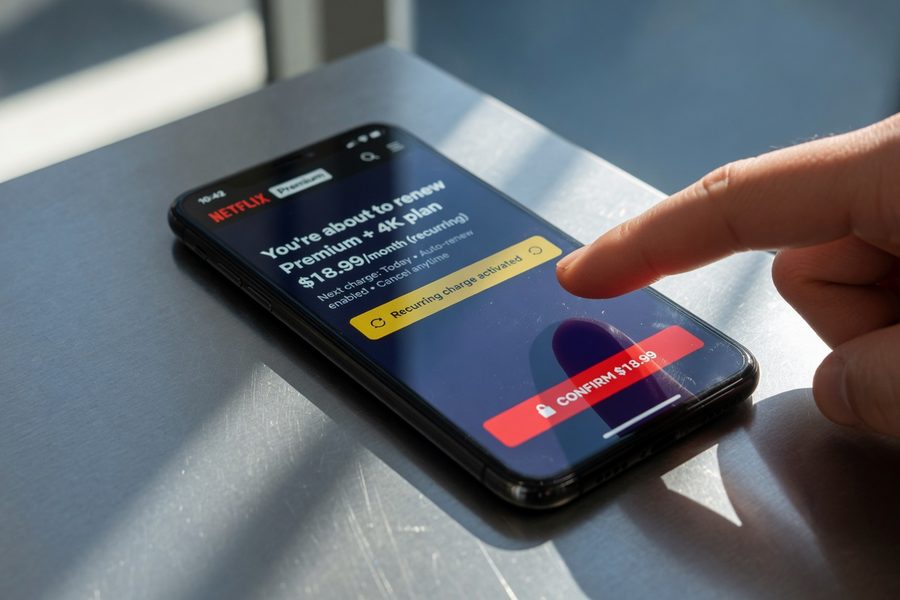
Streaming video alone costs subscribing U.S. households an average of $69 per month according to Deloitte’s 2025 Digital Media Trends report, $828 per year just for video content. Most of that spending reflects price increases that occurred gradually, often with a brief notice email that was easy to miss or dismiss. Netflix, Max, Hulu, Peacock, and Disney+ have all raised ad-free prices since 2022. Each individual increase seemed modest. Collectively, they’ve added dozens of dollars to the typical household’s monthly bill without triggering the kind of active purchasing decision that a new expense would require.
Annual subscriptions compound the problem differently. A $99-per-year charge lands on a credit card statement once, often in a month when other spending looks normal, and gets mentally filed as a one-time expense rather than a recurring obligation. Until it hits again the following year. Software suites, cloud storage upgrades, music services, and professional memberships frequently bill annually, and the subscription audit process has to specifically account for these, because monthly statement reviews miss them entirely.
The average subscriber wastes $17 per month on subscriptions they don’t use, that’s $204 per year leaving your account for nothing in return.
Seniors and the Forgotten Subscription Problem
The forgotten-subscription problem is especially acute for older adults. Targeted audit findings suggest seniors average $312 per month in recurring charges they’ve lost track of, a figure that includes services set up years ago, family members’ accounts charged to a parent’s card, and software plans that converted from free trials without clear notice. Anyone managing finances for an elderly parent or relative should treat a subscription audit as a priority task, not an afterthought.
The Full Scope of Recurring Charges Most People Miss
The obvious subscriptions, Netflix, Spotify, gym membership, are rarely where the biggest surprises hide. Most people can name those from memory. The problem lives in the second and third tiers: the apps purchased on a phone years ago that bill annually through the App Store, the VPN service auto-renewed after a promotional first year, the photo storage plan that kicked in when a free tier filled up. These charges are real money, but they arrive through channels that most monthly budget reviews don’t catch.
Multiple Billing Channels Require Multiple Lookups
Recurring charges reach your accounts through at least five distinct pathways: direct billing to a credit or debit card, Apple App Store subscriptions tied to an Apple ID, Google Play subscriptions tied to a Google account, PayPal recurring payments authorized separately from any card, and Amazon subscriptions that may appear as part of Prime or as standalone charges. A thorough audit checks all five. Most people check one or two and assume they’ve found everything.
Apple and Google both provide subscription management screens within their respective account settings. On iOS, go to Settings, tap your name, then Subscriptions. On Android, open Google Play, tap your profile photo, then Payments and subscriptions. Both screens show active and recently expired subscriptions with their next billing dates and amounts. These lists frequently contain surprises, apps that seemed free when downloaded, games with recurring “VIP” tiers, or services that were set up on a family member’s device but charged to a shared payment method.
Your public library likely provides free access to streaming services, audiobooks, and digital magazines, services many households are paying for unnecessarily. Check out our guide on what your library gives you for free before renewing any media subscription.
Non-Obvious Categories Worth Investigating
Beyond entertainment, subscription charges show up in categories that rarely get counted as “subscriptions” in a person’s mental accounting. These include: cloud storage upgrades from Google, Apple, Microsoft, or Dropbox; antivirus or device security software; password managers; meal planning or recipe apps; fitness and meditation platforms; online therapy services; professional association dues; alumni membership fees; credit monitoring services; identity theft protection; and premium tiers on apps that also have free versions. Software-as-a-service tools, accounting apps, project management platforms, design tools, are a particularly common source of forgotten charges for anyone who’s done freelance work or run a small business.
How to Run a Complete Subscription Audit in One Sitting
The audit itself takes two to three hours the first time through. That’s the honest estimate, not 20 minutes, not a full weekend. Pulling three to six months of statements, cross-referencing multiple accounts and billing channels, and building a usable master list requires focused time. The payoff is proportionate: most people who complete a thorough first audit find $50 to $150 per month in charges they want to change.
Step One: Gather All Statements
Download or print three to six months of statements for every checking account, credit card, and debit card you use. Use PDF or spreadsheet format so you can search by keyword. Log into your Apple ID, Google account, and PayPal and export or screenshot the subscription lists from each. If you use Amazon, review your Memberships and Subscriptions page under your account settings. At this stage, don’t evaluate anything, just collect.
Search your email inbox for terms like “receipt,” “invoice,” “your subscription,” “renewal,” “billing,” and “payment confirmation.” Subscription services almost always send a confirmation email when a charge processes or a plan renews. These emails create a second verification channel that catches things your bank statements might show only as a cryptic merchant code.
Building Your Master List
Create a simple spreadsheet with seven columns: Service Name, Monthly Cost (convert annual charges by dividing by 12), Next Renewal Date, Billing Channel, Usage Frequency, Value Rating (High/Medium/Low), and Action. Fill in one row per subscription. The total in the Monthly Cost column is often the first genuinely shocking number people encounter. Add it up before you start making decisions.
Convert every annual subscription to its monthly equivalent before you tally your total. A $120-per-year charge looks negligible on its own; $10 per month added to a running total makes its weight visible alongside your streaming and software costs.
Free tools can accelerate this process. Rocket Money (formerly Truebill), Copilot, and the subscription-tracking features inside apps like YNAB and Monarch Money will scan connected accounts and identify recurring charges automatically. These tools are useful for the initial discovery phase, though they don’t replace manual verification, they can miss charges that route through third-party billing or appear under inconsistent merchant names. If you’d prefer not to grant account access to a third-party app, the spreadsheet method is equally effective and requires no data sharing.
Deciding What to Keep, Downgrade, or Cancel
Once your master list exists, the evaluation phase begins. This is where most subscription audit advice goes soft, telling you to “assess your needs” without giving you a framework that actually works. Here’s one that does.
The Usage Test
For each subscription, ask: did I use this at least once in the past 30 days? If yes, it earns further evaluation. If no, it goes on the cancel list unless there’s a specific, named upcoming use case, not a vague “I might need it.” The “just in case” justification is how unused subscriptions survive for years. A service you haven’t used in 30 days has almost certainly not been used in 60 or 90 either, and the pattern rarely reverses without an active decision to change behavior.
For services that passed the usage test, calculate a rough cost-per-use. If you pay $15 per month for a streaming service and watched four movies last month, that’s $3.75 per movie, cheaper than a rental. If you paid $9.99 per month for an audiobook service and listened to zero books, the cost-per-use is infinite. That number makes the decision obvious in ways that raw monthly costs don’t.
The Downgrade Option
Cancellation isn’t always the right move. Downgrading deserves equal consideration, particularly for services with tiered pricing. Switching from an ad-free streaming tier to an ad-supported one can save $4 to $9 per month per service. Dropping from a family plan to an individual plan, or from unlimited to a lower data tier on a cloud storage service, recovers money without losing access entirely. For services you use regularly but not intensively, a downgrade often beats cancellation.
| Service Type | Keep (High Use) | Downgrade Option | Cancel (Low/No Use) |
|---|---|---|---|
| Streaming Video | 4+ hours/week | Switch to ad-supported tier | 0-1 hours/week |
| Music Streaming | Daily use | Student/family rate if eligible | Use free tier or library |
| Cloud Storage | Near capacity | Drop to lower tier if room allows | Free tier covers your usage |
| Fitness App | 3+ workouts/week | Annual plan if renewing anyway | Unused since signup |
| Software/SaaS | Weekly work use | Free tier or one-time purchase | Project ended, never reopened |
Annual billing is worth considering for any service you’ve decided to keep. Most services offer a 15% to 20% discount for annual prepayment versus monthly billing. If you’re confident you’ll use a service for at least 10 of the next 12 months, switching to annual almost always saves money. The risk is the same as any prepayment: if your situation changes, you may not recover the unused portion easily.
Don’t prepay for an annual subscription during a retention offer unless you’ve verified the cancellation and refund terms in writing. Some “special deal” annual plans are non-refundable even if the service changes or your circumstances shift within the year.
Canceling Subscriptions Smoothly and Avoiding Gotchas
Cancellation sounds simple. In practice, subscription companies have invested heavily in making it friction-filled. You may encounter multi-step cancellation flows, required phone calls to numbers that route to long hold queues, chat windows that redirect to retention offers, or confirmation screens that look like cancellations but actually only pause the service. Knowing these patterns in advance makes you harder to stall.
Document Everything
Before you start canceling, take a screenshot of your subscription details page, the one showing your plan, billing amount, and renewal date. After canceling, take a screenshot of the confirmation screen and save any confirmation email you receive. The FTC advises consumers to keep records of all cancellation requests, monitor statements for 60 days after canceling, and dispute any continued charges with their bank or credit card issuer directly.
If a service requires a phone call to cancel, call during off-peak hours (mid-morning on weekdays tends to have shorter waits), state your intention clearly at the start of the call, and ask for the representative’s name and a confirmation number or email at the end. Do not agree to a “pause” if your intent is a full cancellation. Pauses typically resume billing automatically after 30, 60, or 90 days, and you may not receive a reminder.
Handling Retention Offers
Retention offers, discounts, free months, or plan downgrades offered when you try to cancel, are worth evaluating, not automatically accepting. A 50% discount for three months on a service you genuinely use is a reasonable deal; accept it, set a calendar reminder for the date the discount expires, and evaluate again then. A free month on a service you don’t use just delays a cancellation by 30 days and trains you to expect an offer every time you try to leave. Take the math seriously rather than reacting to the word “free.”
After canceling a service, watch your next two to three statements for confirmation that billing stopped. Errors are uncommon but real. If a charge appears after a confirmed cancellation, dispute it with your card issuer and provide the documentation you saved. Most card issuers resolve these disputes within 30 days.
Your Consumer Protection Rights Around Auto-Renewals
Most consumers don’t know they have enforceable rights when it comes to subscription billing. Two federal agencies have issued clear guidance that applies to any service charging a recurring fee to U.S. consumers.
The FTC’s Click-to-Cancel Rule
In October 2024, the Federal Trade Commission finalized its “Click-to-Cancel” rule. The rule requires sellers to make cancellation as easy for consumers as enrollment was. If you signed up online with three clicks, you must be able to cancel online with no more friction than those same three clicks. A company that forces a phone call to cancel when you signed up online is violating the rule. You can file a complaint directly with the FTC at ReportFraud.ftc.gov.
The practical implication: if a company is making cancellation unreasonably difficult, you have a legal mechanism beyond just giving up. File the complaint, notify your card issuer, and request a chargeback for any charges that continued after a documented cancellation attempt. Card issuers generally side with cardholders in these cases when documentation is clear.
CFPB Guidance on Negative Option Marketing
The Consumer Financial Protection Bureau has issued separate guidance targeting negative option marketing, the practice of enrolling consumers in paid plans unless they actively opt out. The CFPB’s position is that companies must clearly disclose material terms, obtain genuine informed consent, and avoid making cancellation unreasonably difficult. If a service converted you from a free trial to a paid plan without clear notice, that may constitute a violation of these standards. You can submit a complaint to the CFPB at consumerfinance.gov/complaint.
If a subscription company’s cancellation process violates the FTC’s Click-to-Cancel rule, you can file a formal complaint with the FTC at ReportFraud.ftc.gov. Card issuers generally support chargebacks when you provide documentation of a completed cancellation request.
What Your Freed-Up Cash Can Actually Do
A subscription audit is a budget exercise, but the real value shows up in what you do with the recovered money. $1,464 per year, the figure from one real 2026 audit, is not a trivial sum. It represents one month of preschool in many U.S. cities, a year of homeowners insurance in most markets, or a meaningful contribution to a financial goal that actually matters.
Worked Example: $90 Monthly Spend Reduced to $55
Suppose you spend the U.S. average of $90 per month on subscriptions and your audit reveals $35 per month you’re willing to cut: one streaming service at $18, an unused fitness app at $9.99, and a cloud storage upgrade you no longer need at $2.99, plus a software suite at $4.08 per month (billed annually at $49). That’s $35.06 per month, or $420.72 per year. Redirected to a high-yield savings account earning 4.5% APY, that sum grows to roughly $440 after 12 months. Over three years, with contributions continuing, it approaches $1,400 in savings with interest, funded entirely by subscriptions you didn’t want.
Larger savings yield larger outcomes. The full $122 per month recovered in the NerdWallet example, if redirected to an IRA at $1,464 per year, would cover 73% of the 2026 Roth IRA contribution limit for individuals under 50 ($2,000). That’s a retirement contribution funded not by earning more but by stopping payments for things you weren’t using. If you’re also carrying high-interest credit card debt, redirecting even $50 per month to principal payoff can save hundreds in interest charges over time. Our article on prioritizing and negotiating credit card debt covers how to sequence those payoff decisions once you have cash available.

| Monthly Savings Found | Annual Total | Potential Use | 3-Year Value (at 4.5% APY) |
|---|---|---|---|
| $17 (waste average) | $204 | Emergency fund contribution | ~$670 |
| $35 (moderate audit) | $420 | High-yield savings | ~$1,385 |
| $75 (thorough audit) | $900 | Debt payoff acceleration | ~$2,970 |
| $122 (NerdWallet example) | $1,464 | Roth IRA contributions | ~$4,830 |
For households already stretched thin by rising costs, understanding 2026 poverty guideline changes may also reveal benefit eligibility that reduces other expenses, creating more room for savings without cutting services that genuinely matter.
Redirecting $122/month in canceled subscriptions to a Roth IRA covers 73% of the 2026 contribution limit for individuals under 50, retirement funding sourced entirely from charges you were already making.
Subscriptions and Debt: A Connection People Overlook
Recurring subscription charges interact with credit utilization in ways most budget guides don’t address. If subscriptions are charged to a credit card and not paid in full each month, they contribute directly to revolving balances, and those balances carry interest. At a typical credit card APR of 22% to 27%, even $50 per month in subscription charges carried on a balance costs an additional $11 to $13.50 per year in interest, compounding the waste.
There’s a second-order effect worth naming. High credit utilization (the ratio of your balance to your credit limit) suppresses credit scores, which affects the interest rates available to you on mortgages, auto loans, and any future credit you apply for. Cutting subscriptions, paying down the freed-up cash to existing balances, and keeping utilization below 30% creates a sequence of financial improvements that extends well beyond the subscription bill itself. If credit card interest is already a problem in your household, pairing a subscription audit with a debt payoff plan is more powerful than either alone. The guide on negotiating your credit card APR is a logical next step once you’ve freed up monthly cash flow.
Building Systems So Subscriptions Don’t Creep Back In
Subscription creep, the gradual accumulation of recurring charges after a cleanup, is the most predictable failure mode. People complete an audit, recover $80 per month, feel accomplished, and then sign up for three new services in the following six months without adjusting the mental accounting for what they’ve already cut. A year later, the problem is back.
The One-In-One-Out Rule
Treat your subscription list like a fixed-size roster. Before adding any new recurring charge, identify which existing subscription you’re willing to cancel to make room. This doesn’t mean you can never add a new service, it means each addition requires an explicit trade, which forces the evaluation that routine subscriptions never get. The rule also serves as a natural throttle on trial-period sign-ups: if every trial requires retiring something else, you’ll sign up for far fewer.
Calendar Reminders and Statement Reviews
Set a calendar reminder the day you sign up for any trial or new subscription, scheduled for two days before the trial ends or the annual renewal date arrives. This turns the default from “automatically renews unless you remember” to “automatically reviewed before it renews.” Most calendar apps allow recurring annual reminders, which means you set this up once and it runs indefinitely.
Schedule a 30-minute subscription review every quarter. This doesn’t need to be as thorough as the initial audit, just open your master list, verify the charges are still appearing correctly, and apply the usage test to anything you haven’t interacted with recently. Quarterly reviews catch drift before it compounds. They also create a natural moment to re-evaluate whether the services you’re paying for still match how your life and priorities have changed. For those looking to increase income alongside reducing costs, exploring micro-freelancing opportunities can complement the savings side of this work.
Free trials attached to a credit card number nearly always convert to paid subscriptions automatically. If you sign up for a trial with no intention of keeping it, cancel it the same day you sign up, before you forget, rather than trusting yourself to remember before the trial ends.
Subscription Spending by Category: Where the Money Actually Goes
Running a subscription audit budget exercise is more efficient when you know which categories tend to carry the most excess. The data on spending by category reveals a clear pattern: entertainment dominates at the top, but software, wellness, and news subscriptions together account for a substantial share that most people consistently undercount.
| Category | Avg. Monthly Cost (Subscribing Households) | Common Overspend Pattern |
|---|---|---|
| Streaming Video | $69 (Deloitte, 2025) | Multiple services with overlapping content libraries |
| Music/Podcasts/Audio | $12-$20 | Individual + family plan; free tier often sufficient |
| Cloud Storage | $3-$15 | Multiple platforms (Apple, Google, Dropbox) simultaneously |
| Software/Productivity | $10-$40 | Annual billed plans forgotten between renewal dates |
| Fitness/Wellness | $10-$30 | Gym + app + meditation + meal planning duplicates |
| News/Magazines | $8-$25 | Trial-converted plans for articles rarely read |
| Security/Identity | $10-$20 | Multiple overlapping services; card benefits often include one free |
One specific area worth checking before paying for any media subscription: your public library. Many library systems now provide free access to streaming platforms, digital magazine archives, and audiobook services, the exact categories where households are spending the most. Our full breakdown of library financial hacks including free streaming covers what’s available and how to access it.
Many premium credit cards include complimentary subscriptions to services like Peacock, DoorDash DashPass, Instacart+, or identity theft monitoring. Check your card’s current benefits page, you may already be paying separately for something your card includes at no extra cost.

Real-World Example: One Household’s Subscription Audit
Consider an illustrative example: a two-income household of three in a mid-size U.S. city, with a combined gross income of $95,000. Before doing any formal review, both adults estimate their household spends roughly $60 to $70 per month on subscriptions. They’re off by nearly half.
When they run through the full audit process, three months of bank and card statements, Apple and Google subscription screens, a PayPal review, and an email keyword search, their master list totals $134 per month. The breakdown: four streaming video services ($71), a music family plan ($16.99), two cloud storage upgrades ($9.98 combined), a fitness app neither person opened in four months ($12.99), a password manager ($3.99), a meal planning app ($6.99), an antivirus suite ($7.99), and a news site ($4.99). One streaming service ($18) is watched only during a specific sports season that ended two months ago.
After applying the usage test and value rating, they cancel three services outright, the seasonal streaming service, the fitness app, and the meal planning app, and downgrade one streaming plan from ad-free to ad-supported, saving $6 per month. Total cuts: $46.98 per month, or $563.76 per year. They redirect $300 of that annually to their emergency fund (currently at $800, below their $2,500 target) and apply $263.76 to their highest-interest credit card balance at 24.9% APR, saving an estimated $66 in interest charges over the payoff period.
They set quarterly calendar reminders and adopt the one-in-one-out rule. Six months later, they’ve added one new service (a $9.99 language learning app) and canceled another in exchange. Their monthly subscription total has stayed within $5 of their post-audit baseline, a meaningful improvement over the slow drift that brought them to $134 in the first place.
Your Action Plan
-
Gather three to six months of statements from every account and billing channel
Pull statements from all checking accounts, credit cards, and debit cards. Log into your Apple ID, Google account, and PayPal to access their subscription management screens. Search your email for “receipt,” “invoice,” “renewal,” and “subscription” to surface confirmation emails that match or fill gaps in your statements. This collection phase takes 45 to 60 minutes and is the foundation the rest of the process depends on.
-
Build a master list with monthly costs, renewal dates, and billing channels
Enter every recurring charge into a spreadsheet with columns for service name, monthly cost (convert annual charges by dividing by 12), next renewal date, billing channel, and usage frequency. Total the monthly cost column before you start making any decisions. The number is frequently a stronger motivator than any general advice about why audits matter.
-
Apply the usage test and value rating to every subscription
For each service, ask whether you used it at least once in the past 30 days. If yes, rate it High, Medium, or Low value relative to the cost. If no, it goes on the cancel list by default unless you can name a specific, scheduled upcoming use. Calculate cost-per-use for your most-used services to make comparisons concrete rather than intuitive.
-
Cancel low-value subscriptions with documentation at each step
Screenshot your subscription details before canceling, screenshot or save the confirmation after, and file any confirmation emails in a labeled folder. For services requiring a phone call, note the representative’s name and request a confirmation number or email. Monitor your next two to three statements to verify billing stopped. Dispute any continued charges with your card issuer and provide your documentation.
-
Downgrade or renegotiate subscriptions you’ve decided to keep
For every service remaining on your list, check whether an ad-supported tier, a lower storage plan, or an annual billing discount reduces your cost without meaningfully affecting use. If a retention offer comes up during a cancellation attempt, evaluate it with the actual math, not just the appeal of the word “deal.” Set a calendar reminder for the date any promotional rate expires so you can re-evaluate rather than auto-renew at full price.
-
Redirect freed-up cash and build systems to prevent creep
Assign every dollar of recovered monthly savings to a specific goal: emergency fund contribution, credit card payoff, or investment account. Implement the one-in-one-out rule for any future subscription additions. Schedule a 30-minute quarterly review and set a calendar reminder the day you sign up for any new trial or annual plan, timed two days before the billing kicks in. These habits are what separate a one-time audit from a lasting change in your finances.
Frequently Asked Questions
How often should I do a subscription audit?
A thorough first audit, covering all accounts and billing channels, is a one-time event that takes two to three hours. After that, a 30-minute quarterly review is enough to catch new charges, identify services you’ve stopped using, and confirm that canceled subscriptions stopped billing. Annual audits alone are too infrequent; subscription creep can add $40 to $60 per month within six months of a cleanup if there’s no ongoing check.
Is it safe to use an app to find subscriptions?
Apps like Rocket Money and Copilot work by connecting to your financial accounts through read-only bank-level APIs, which are generally secure. The meaningful risk is not security, it’s data privacy. These apps collect detailed spending data, and their business models typically involve upselling premium features or, in some cases, monetizing aggregate spending data. If you’re comfortable with those tradeoffs, the apps are useful for the initial discovery phase. If not, the manual spreadsheet method produces the same result without sharing account access.
What should I do if a company keeps charging me after I canceled?
Gather your documentation first: the cancellation confirmation screenshot or email, the representative’s name and confirmation number if you canceled by phone, and the continued charges shown on your statement. Contact the company with this documentation and request a refund for any charges that occurred after your confirmed cancellation date. If the company doesn’t resolve it within 7 to 10 days, dispute the charges directly with your bank or credit card issuer. Under the FTC’s consumer guidance, you have the right to dispute unauthorized post-cancellation charges, and card issuers are generally responsive when documentation is clear.
Can I cancel a subscription mid-billing cycle and get a refund?
This depends entirely on the service’s refund policy, which varies widely. Most monthly subscriptions provide access through the end of the current billing period but do not refund the partial month. Annual subscriptions are more variable: some offer prorated refunds, others offer none at all. Always check the specific terms before canceling an annual plan mid-cycle, particularly for services where you paid $99 or more upfront. If a service converted you from a free trial to a paid plan without clear notice, that’s a stronger basis for requesting a full refund.
Does canceling subscriptions affect my credit score?
Canceling a subscription service itself has no direct effect on your credit score. However, if subscriptions are charged to a credit card and canceling them reduces your monthly balance, you may see an indirect improvement through lower credit utilization, particularly if your card tends to carry a balance. Subscriptions charged to a debit card or paid directly have no credit utilization impact either way.
What if my family uses a shared subscription? Should I cancel it?
Family or shared plans require a household conversation rather than a unilateral cancellation. Before deciding, confirm who in the household actively uses the service and how often. If multiple people use it regularly, the per-person cost of a family plan is often lower than individual plans would be, keep it. If one person signed up and others aren’t using it, that’s a clear candidate for cancellation or downgrade to a lower tier. The mistake to avoid is keeping a family plan at full price out of inertia when actual usage only justifies a cheaper option.
Are there subscriptions I should never cancel?
A few categories carry genuine risk if canceled without a replacement in place. Health insurance, life insurance, and renter’s or homeowner’s insurance should not be canceled without securing replacement coverage first. Identity theft monitoring services are worth reviewing against what your bank or credit card already provides for free, but canceling before you know what remains protected is a mistake. Everything else is a legitimate candidate for the usage test.
How do I handle subscriptions charged to a card that’s now closed?
When a card closes, subscription charges attached to it will begin failing. Some companies will retry the charge or send a payment failure notice; others will simply pause or cancel the subscription. The risk is that a service you intended to keep gets disrupted unexpectedly. Before closing any card, export a list of all subscriptions charged to it and update the payment method on each one you want to retain. This is also a useful forcing function: it’s an ideal moment to apply the usage test to every subscription on that card before updating anything.
What’s the best way to handle free trials without getting charged?
Cancel the trial the same day you sign up. You’ll keep access through the end of the trial period in almost all cases, and you eliminate the risk of forgetting. If you want to wait until near the end to decide, set a calendar reminder for two days before the trial expires, not the day it expires, because same-day cancellations sometimes process too late in a billing cycle to prevent a charge. Using a virtual card number (available through services like Privacy.com or through some bank apps) for trial sign-ups adds a layer of protection: you can deactivate the virtual number if a company continues charging after cancellation.
My audit found a charge I don’t recognize at all. What do I do?
Start by searching your email for the merchant name shown on the statement, subscription confirmation emails often clarify what a cryptically named charge actually is. Search the exact merchant name plus “subscription” or “billing” to find matching records. If you genuinely can’t identify the charge after checking email, App Store, Google Play, and PayPal records, treat it as potentially unauthorized. Contact your card issuer to dispute the charge and request a new card number if the merchant appears fraudulent. The FTC recommends monitoring statements regularly specifically because unauthorized recurring charges can otherwise continue for months before being caught.
Sources
- CNET, Subscription Survey 2025: Average Spending and Unused Subscriptions
- Deloitte, Digital Media Trends 2025: Streaming Video Spending by Household
- Federal Trade Commission, Final Click-to-Cancel Rule Announcement (October 2024)
- Consumer Financial Protection Bureau, Guidance on Negative Option Subscription Tactics
- Federal Trade Commission, Consumer Alert: How to Stop Subscriptions You Never Ordered
- Consumer Financial Protection Bureau, What Is a Chargeback and How Does It Work?